A budget and your bank accounts, on your own computer.
The app has a whole Money page: your accounts, a month-by-month budget, a calendar of bills and paydays, and where the money went. Feed it files from your bank, or sign in to your bank with your own Plaid keys. It is part of Paul’s Dashboard: open it from the wallet button in the top bar.
Get the appNothing about your money leaves your computer for us.
There is no account and no server of ours. Your accounts, transactions and budget are one file on your PC. Bank files are read on the spot. If you connect a bank, requests go straight from your computer to Plaid, with keys that are yours.
Six things it does
A budget, month by month
Put money into categories. Each row shows what you put in, what you spent and what is left, and what is left carries into next month.
Targets and progress
An amount every month, every week or by a date. Each row says Funded, Behind or Over with a bar, and one button fills what is behind.
A calendar of what is coming
Repeating bills and paydays on the day they land, with the cash you would have at the end of each day.
Cards, autopay and due dates
Each card shows whether it pays itself, when it is next due and the minimum. One that does not warns you a week ahead.
Where the money went
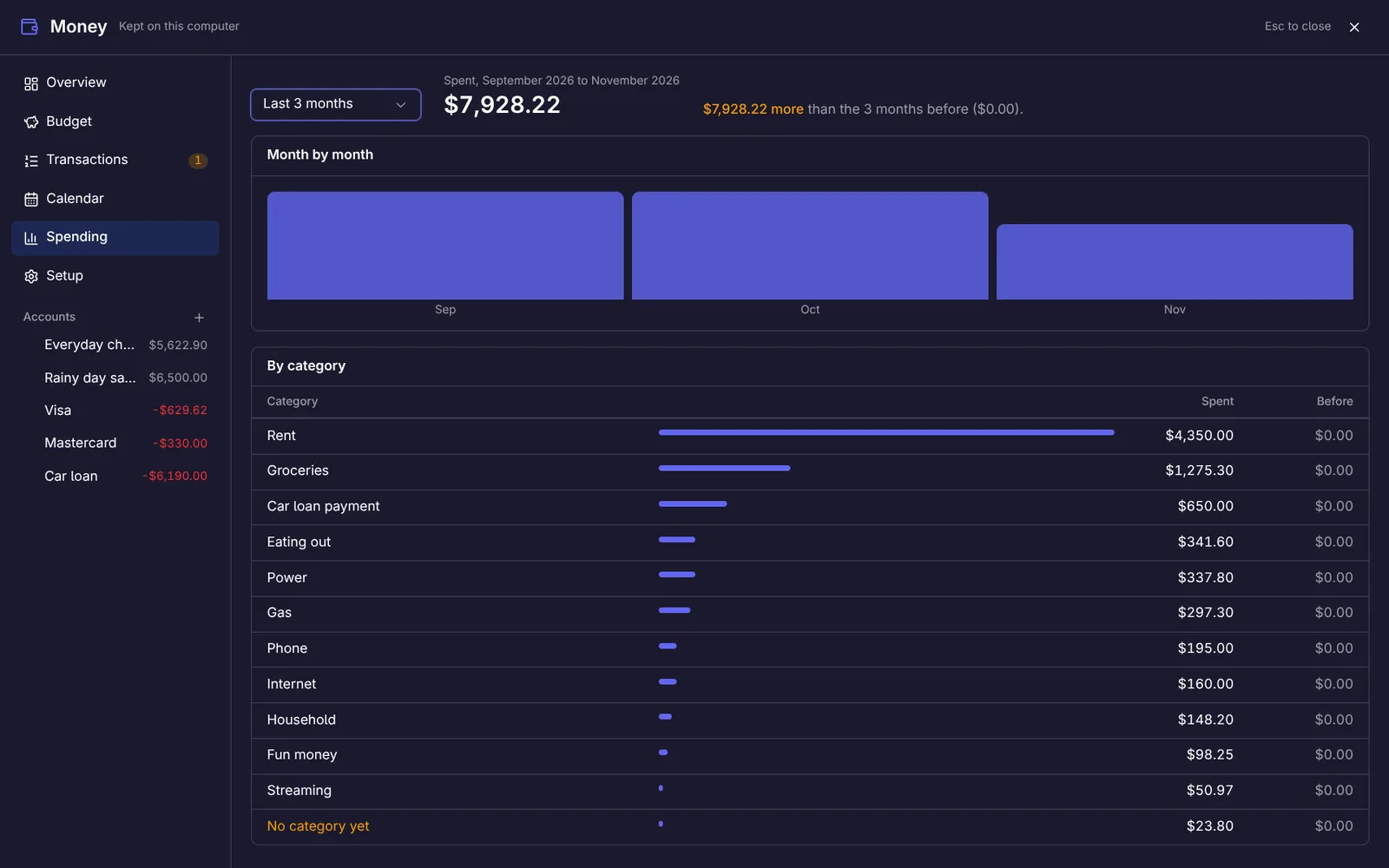
Spending by category next to the same stretch before, and month by month.
A widget for your screens
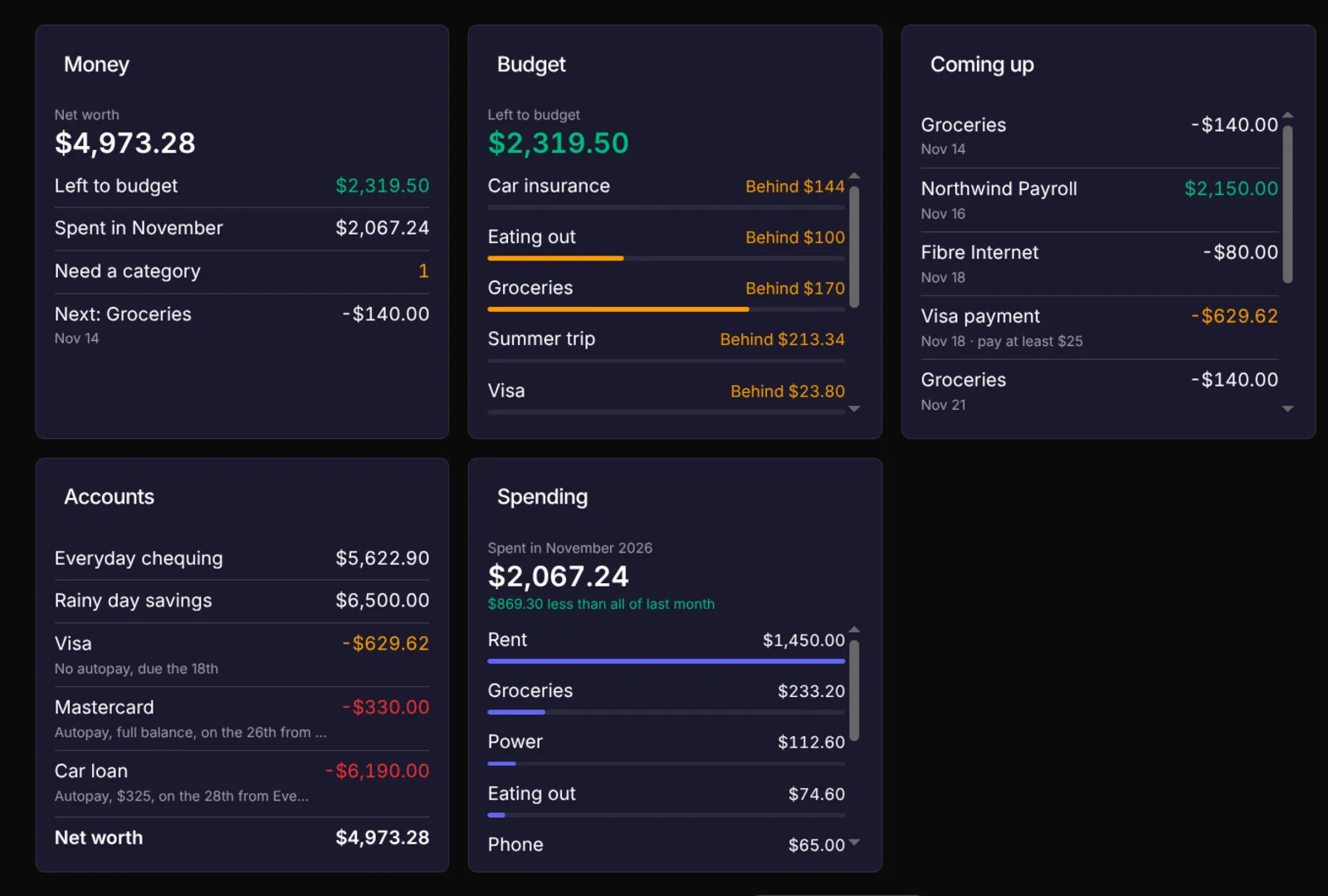
Net worth, balances, the budget, spending or what is coming up, on any dashboard screen.
Budget a made-up month, right here
This runs the app’s own rules on made-up numbers. Use the plus and minus to put money into a category and watch Left to budget move, press Fill what’s behind, then open Cards and switch the Visa’s autopay to see the calendar change.
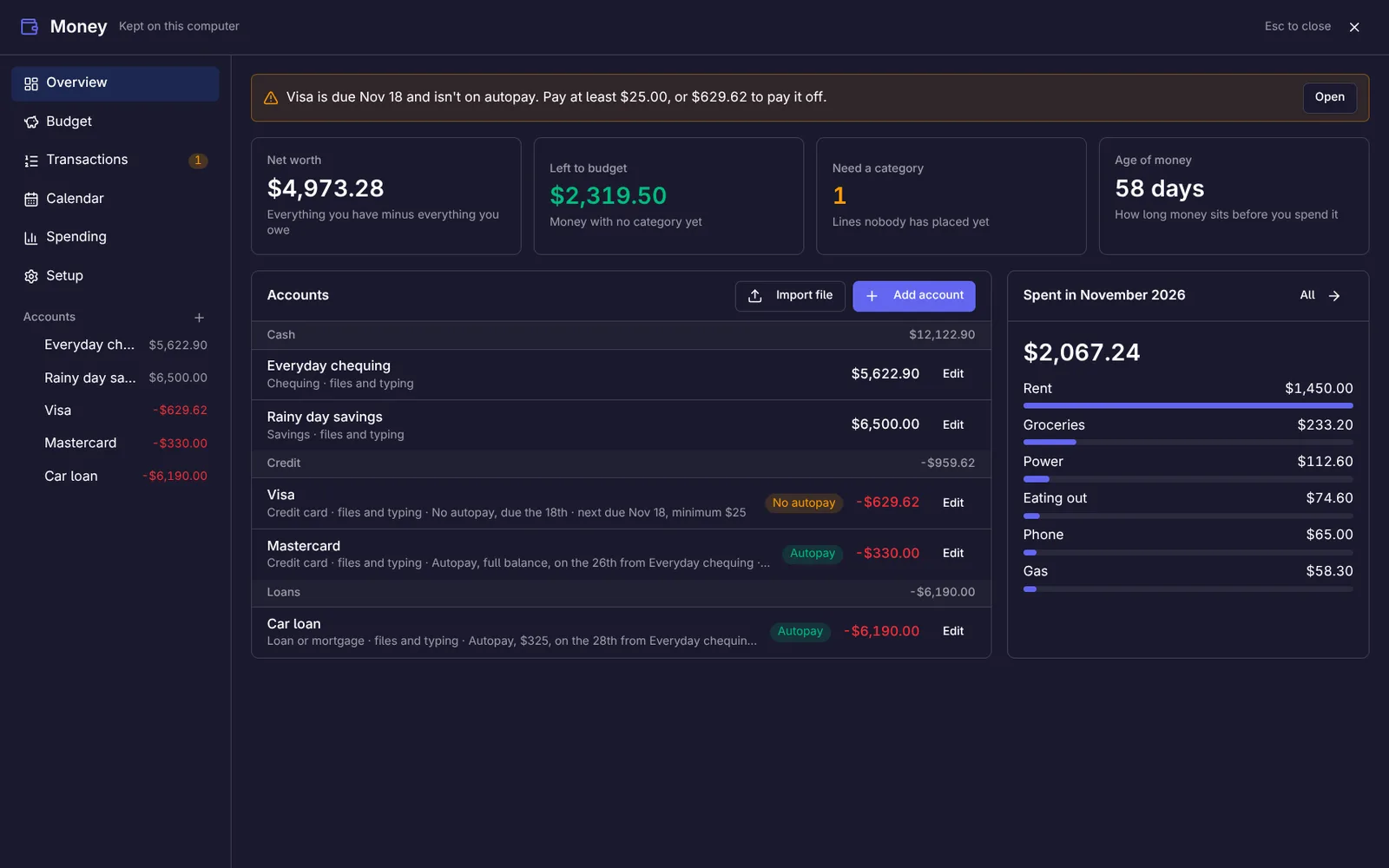
Where things stand, at a glance
- Net worth and money left to budget up top, with how many lines still need a category.
- Every account with its balance: chequing, savings, cards and loans.
- A notice when a card that is not on autopay is due within a week, with what to pay.
Give the money you have a job
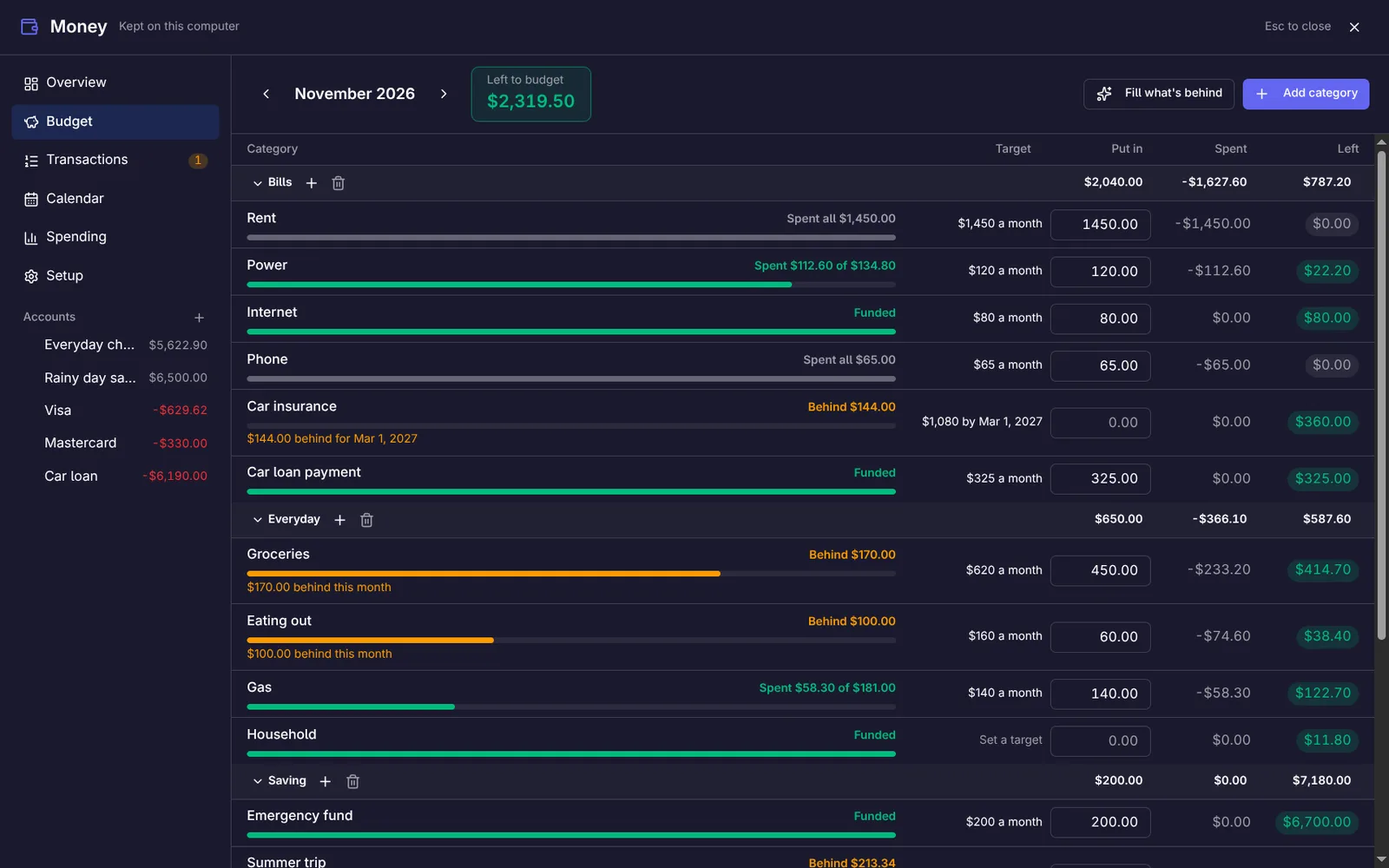
- Put in, Spent and Left for every category, in groups you can fold away.
- A status and a bar on each row: Funded, Behind, Spent $112 of $134, Over.
- Fill what's behind covers overspending first, then targets by due date, then card payments.
- Spending on a card moves money into that card's payment category, so the bill is already covered.
See the month before it happens
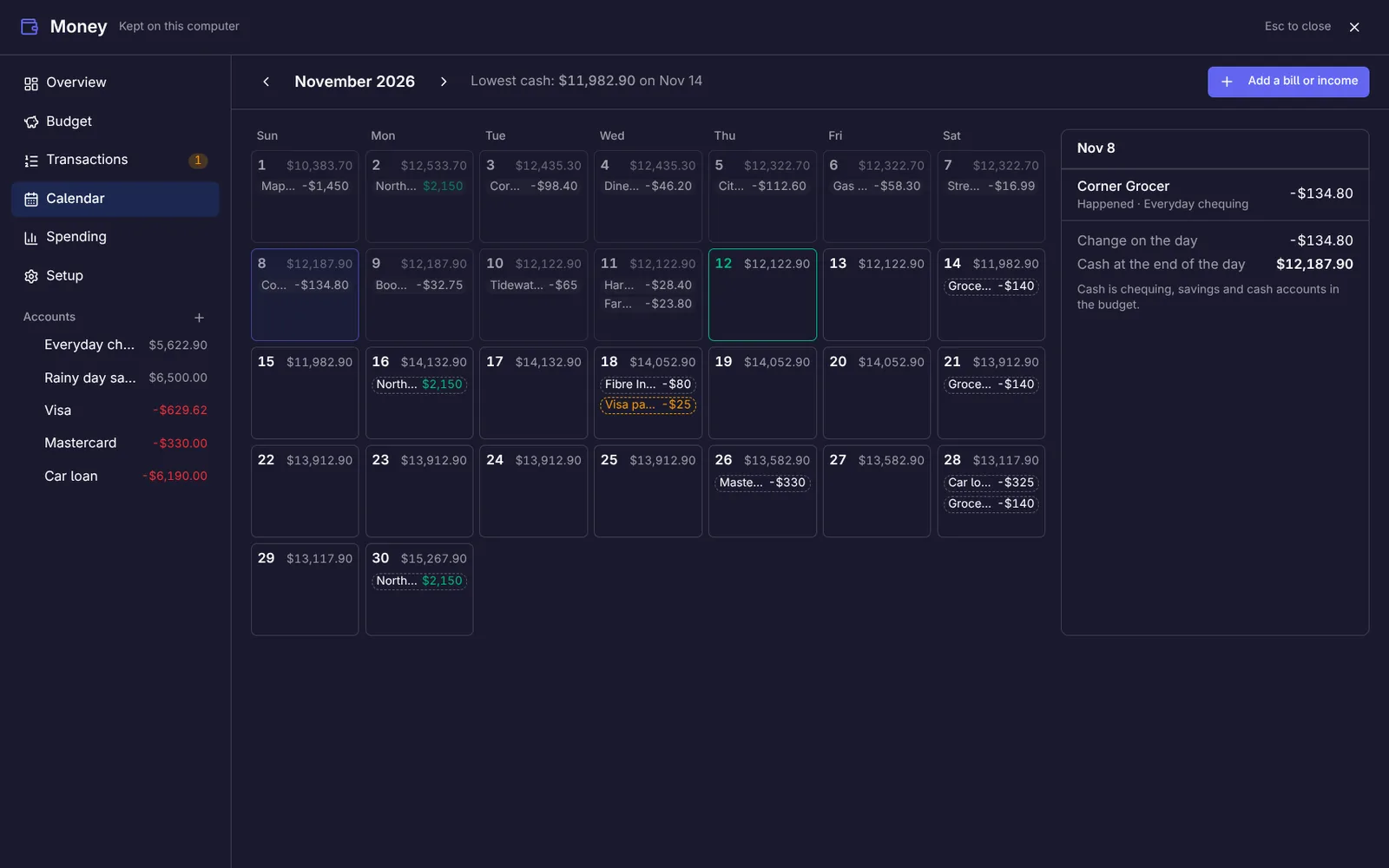
- Add a bill or income once and it repeats: weekly, every two weeks, monthly or yearly.
- Each day shows the cash you would have at the end of it, and the month's lowest point is called out.
- When something comes due, Record it writes the transaction; the bank's own line fills it in later instead of doubling it.
Every line, placed in a click
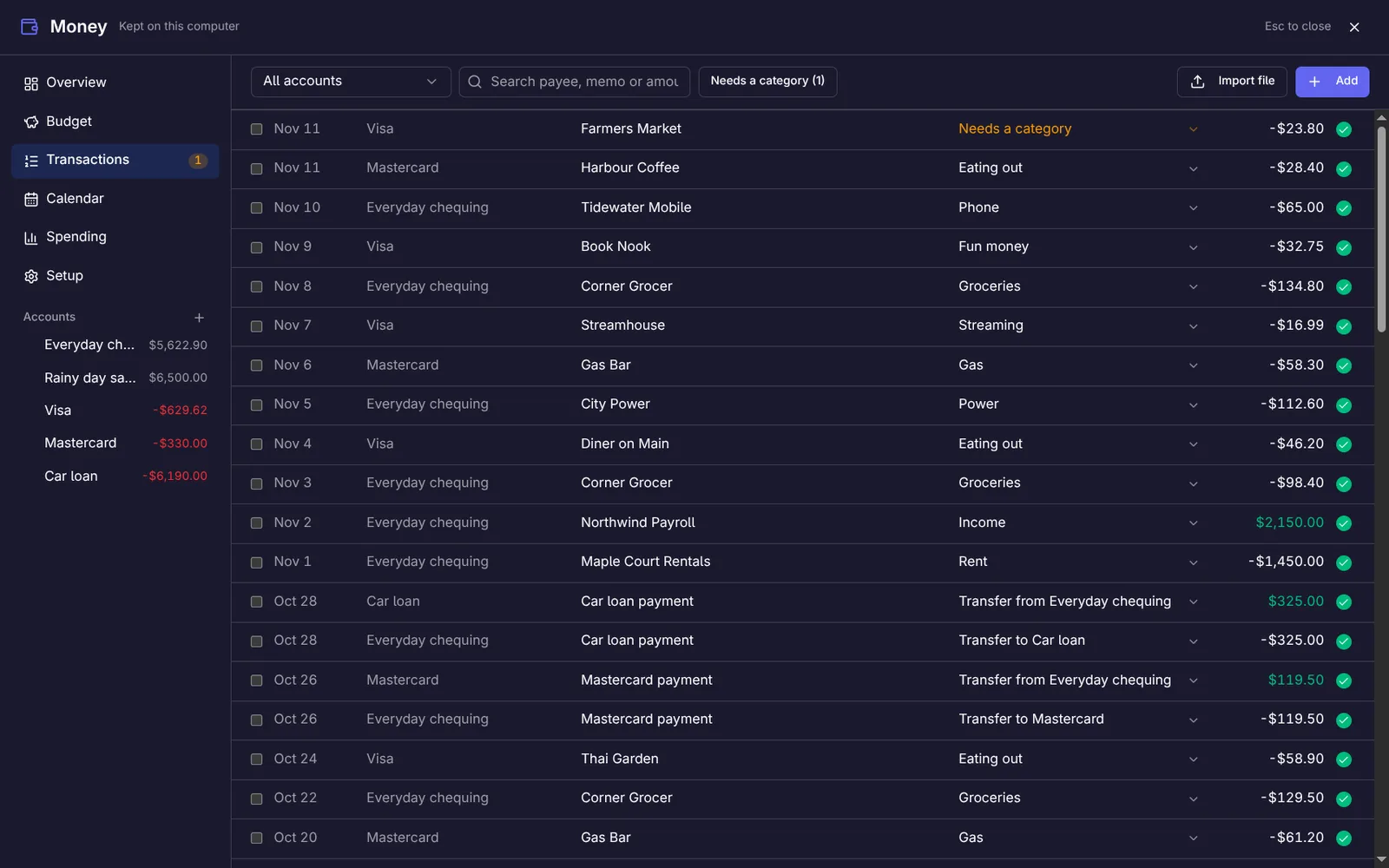
- Pick a category right in the row, or tick several and place them together.
- A payee keeps the category you gave it last time, and renaming one renames it on every later import.
- A move between two of your own accounts is tied together as a transfer, not counted as spending.
- Check against the bank locks what matches the bank's balance.
Where it went, and whether that is new
- This month, last month, or the last 3, 6 or 12 months.
- Each category beside the same stretch before, so a change stands out.
- Click a category to see the lines behind the number.
Files from your bank, a bank sign-in, or by hand
Mix them as you like: one account synced, another fed by files.
Files from your bank
Download your transactions as CSV, OFX or QFX and import the file. For CSV you confirm once which column is the date, the amount and the description, and it is remembered for that account. Importing the same file twice adds nothing.
A bank sign-in (optional)
Connect Plaid under Integrations with your own Plaid keys, then sign in to your bank in your browser. Transactions and balances arrive on their own after that. Plaid is a separate service with its own plans.
By hand
Type a line in. When the bank’s own line for it arrives later, from a file or a sync, it fills yours in and does not double it.
A Money widget for the dashboard
- Pick one view per widget: snapshot, account balances, budget categories, spending, coming up or bank sync.
- Add it more than once to show several views side by side.
- Blur amounts until hovered, for a screen other people can see.
What it does not do
- One currency for the whole page. Amounts are never converted.
- Some banks cannot be reached through Plaid at all. Files always work.
- A bank sign-in needs your own Plaid account and keys, and Plaid may charge for it depending on its plan.
- Banks do not share whether a card is on autopay, so you set that once per card.
- It is a budget and a ledger, not advice, and it does not move money or pay bills.
- Windows only, like the rest of the app.
More questions are answered in the FAQ.